前言

这是我已经写了几篇博客之后,重新对我的博客进行更新,然后把博客更新坏了,没办法只能重头再来了,为了避免重蹈覆辙,写一个笔记。

下载博客主题

博客主题就是类似于手机主题一样,可以帮你快速构建一个博客,我以前选的是hexo+butterfly,现在还是用hexo+butterfly

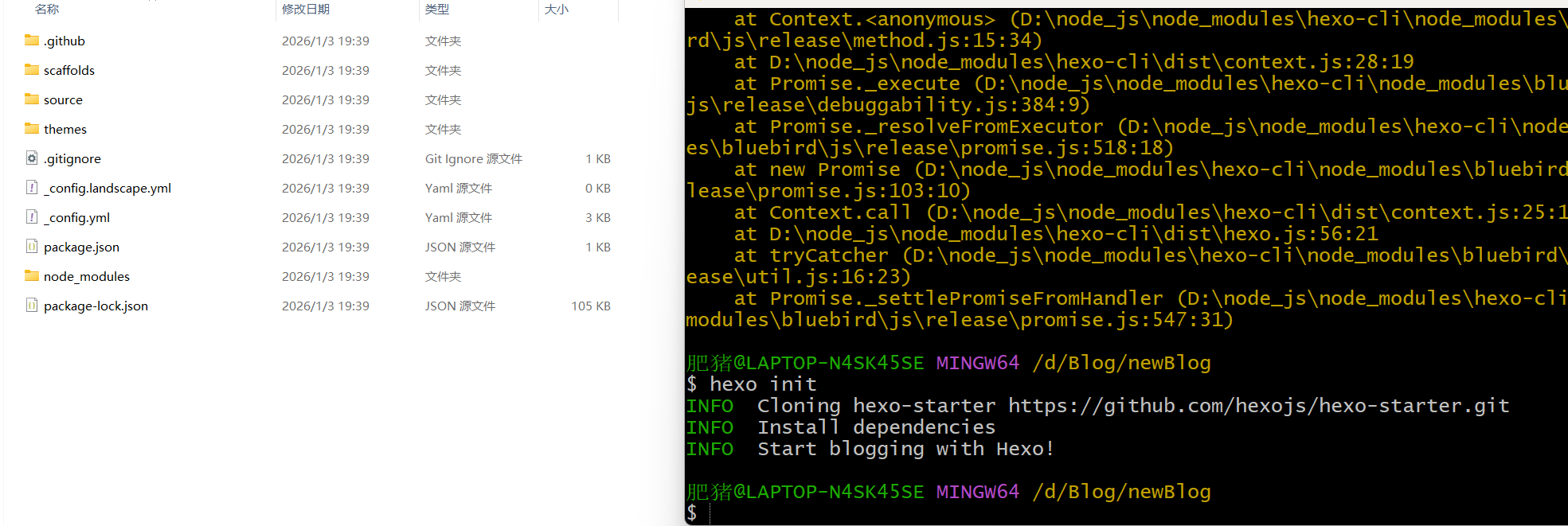
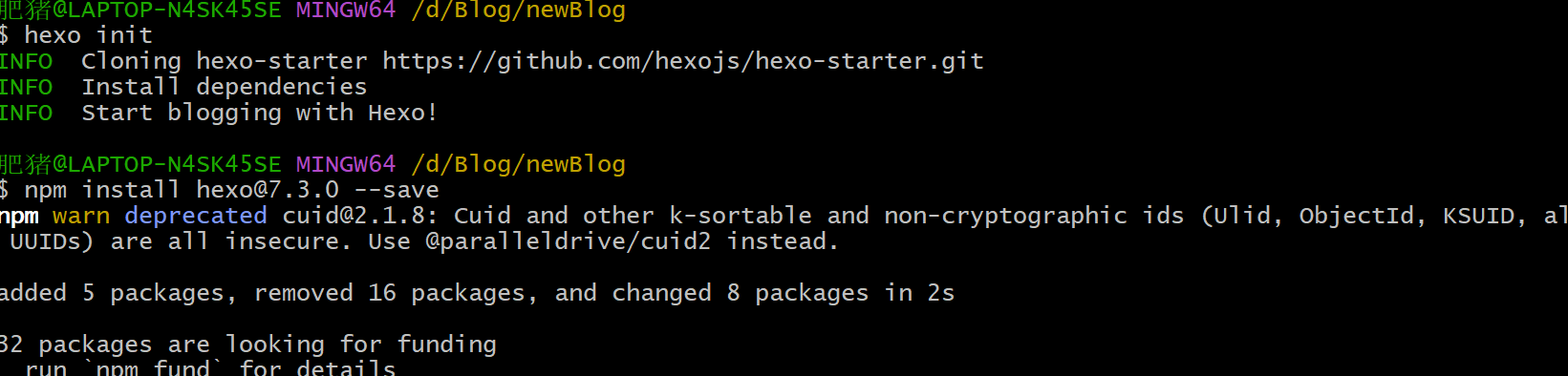
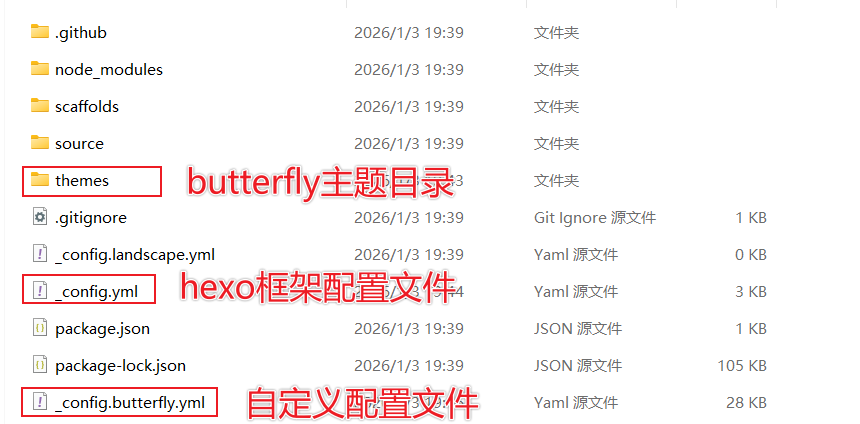
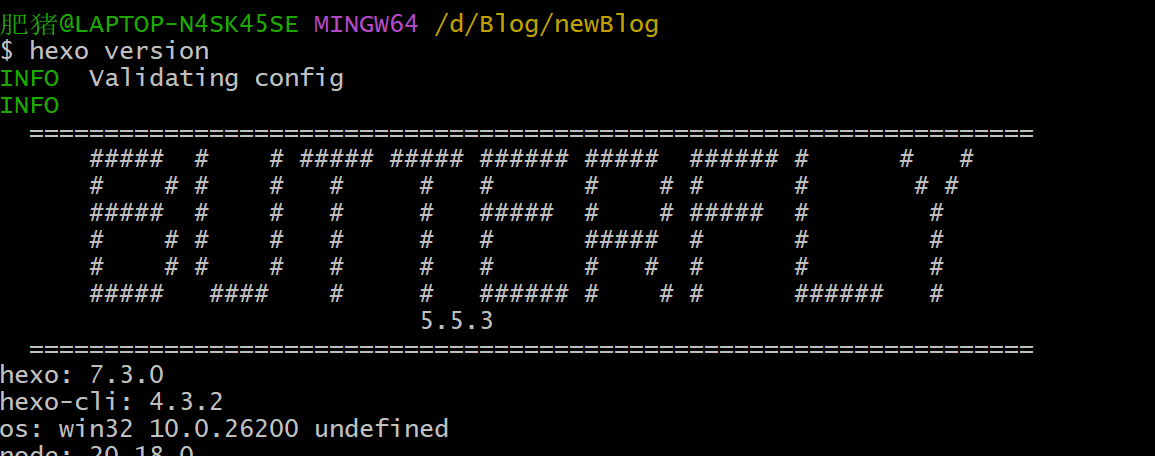
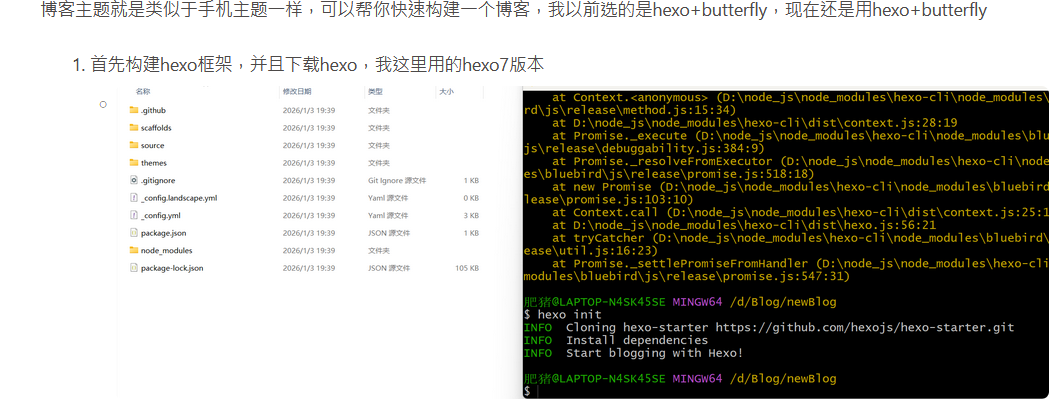
  1. 首先构建hexo框架,并且下载hexo,我这里用的hexo7版本
    • image-20260103194251273
    • image-20260103202304808
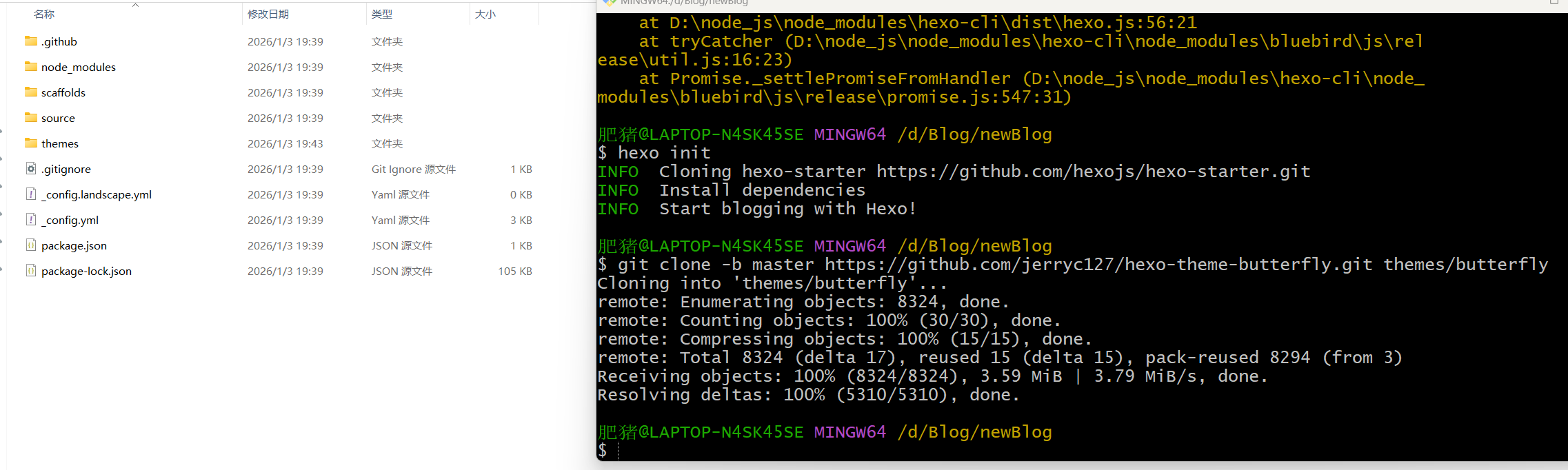
  2. 下载butterfly主题
    • image-20260103194408034
  3. 下载模板渲染插件
    • npm install hexo-renderer-pug hexo-renderer-stylus --save
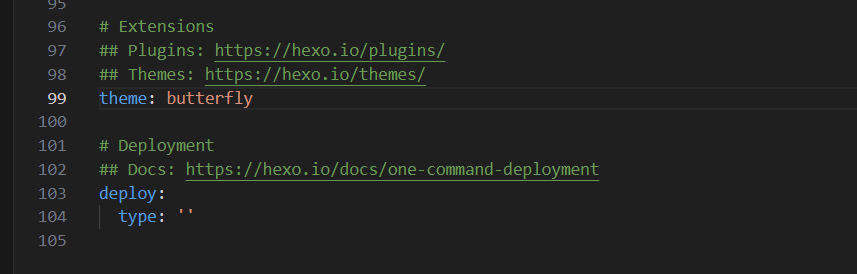
  4. 修改hexo的主题为butterfly(在hexo的配置文件_config.yml)
    • image-20260103194526389
  5. 创建自定义配置文件命名为_config.butterfly.yml,放在hexo的根目录下(文件内容直接复制butterfly的默认配置文件)Hexo 会自动合併主题中的 _config.yml 和 _config.butterfly.yml 里的配置,如果存在同名配置,会使用 _config.butterfly.yml 的配置,其优先度较高。
    • image-20260103194939498
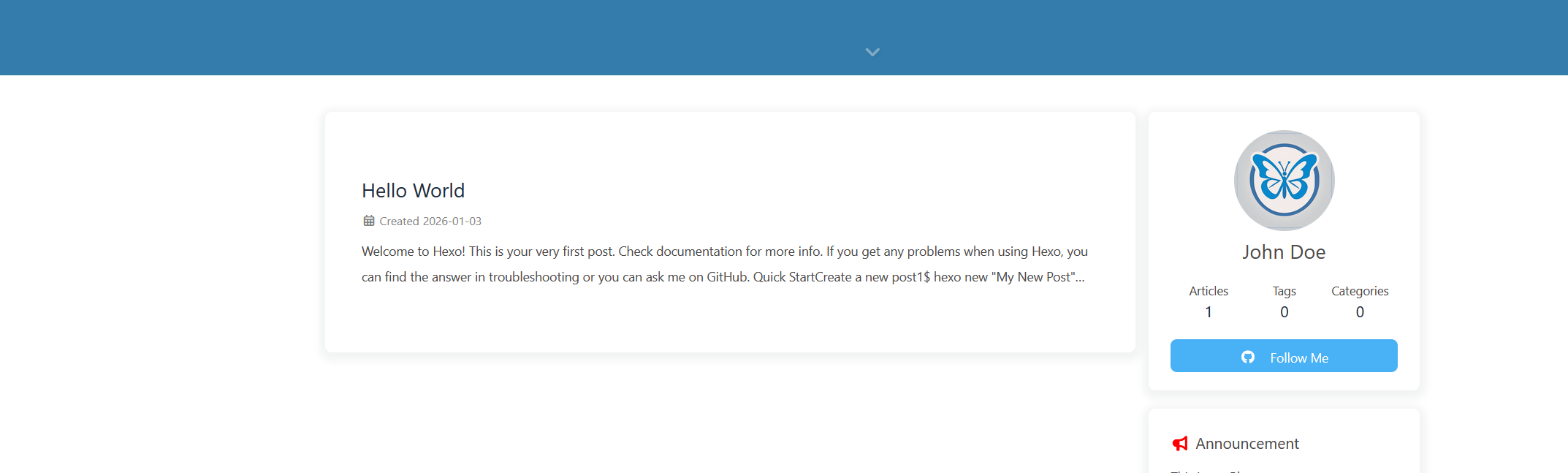
  6. 配置成功
    • image-20260103202655569
    • image-20260103203557404

编写博客文章

这里就直接把我之前写的一篇文章进行发布即可

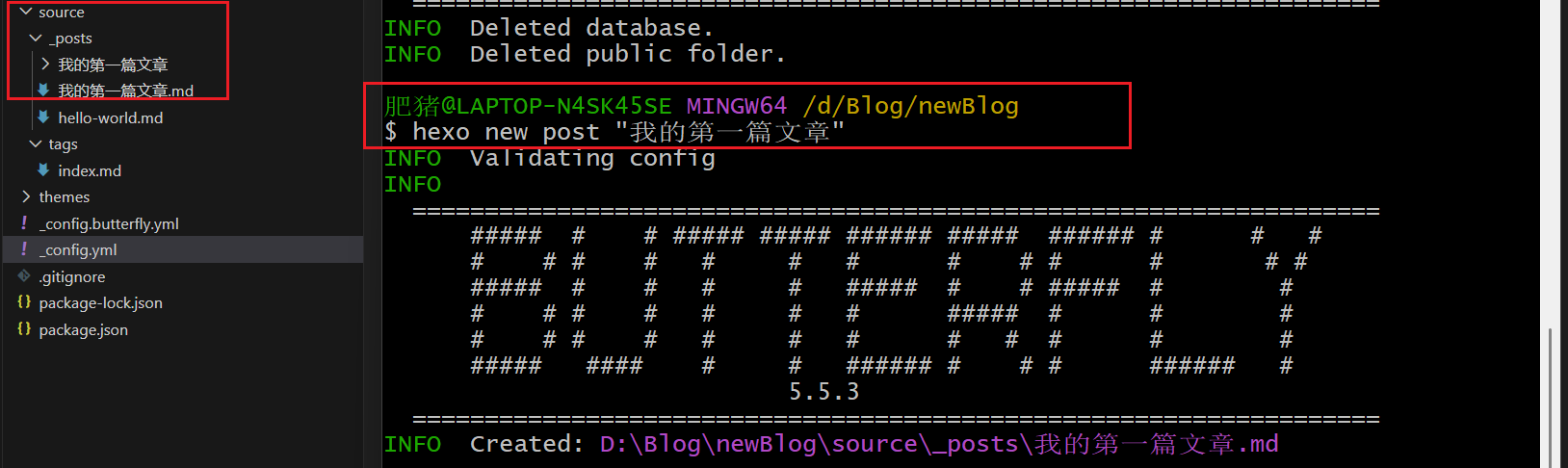
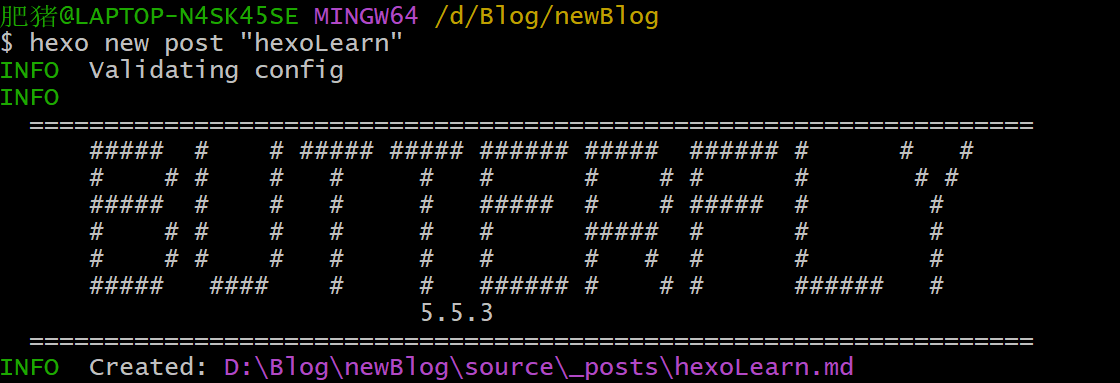
  1. 首先使用hexo new post "文章名"
    • image-20260104113648971
  2. 然后将我编写的md复制到D:\Blog\newBlog\source_posts\hexoLearn.md中(注意是在—分割线之下,这个分割线以及里面的对象后面讲解)
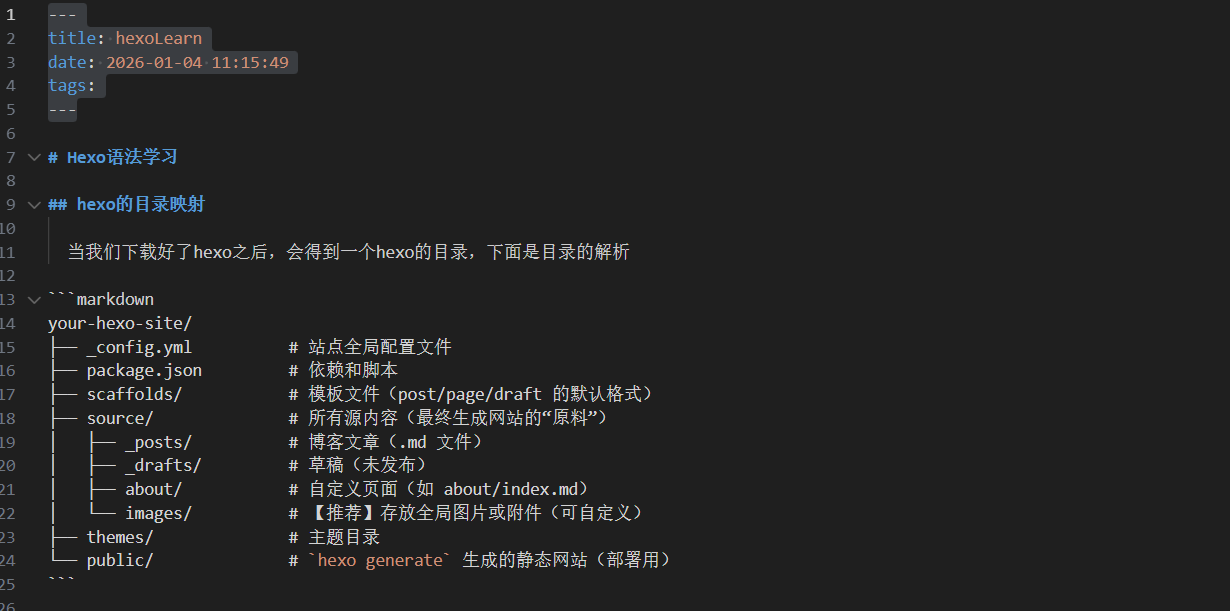
    • image-20260104113906678
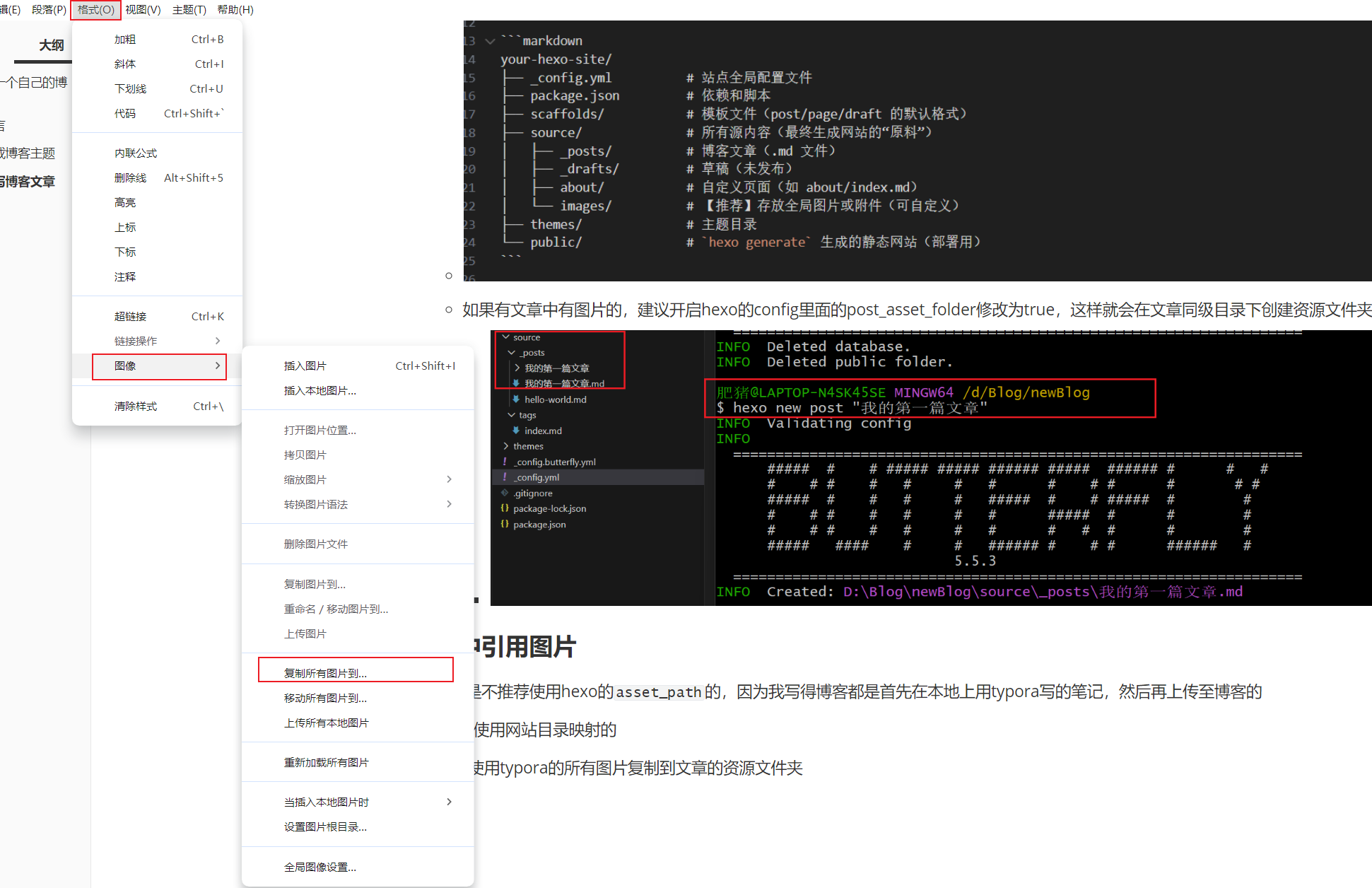
    • 如果有文章中有图片的,建议开启hexo的config里面的post_asset_folder修改为true,这样就会在文章同级目录下创建资源文件夹
      • image-20260104105322472

文章中引用图片

创建文章

我个人是不推荐使用hexo的asset_path的,因为我写得博客都是首先在本地上用typora写的笔记,然后再上传至博客的

我是直接使用网站目录映射的

  1. 首先使用typora的所有图片复制到文章的资源文件夹
    • image-20260104114806160
  2. 然后将我的笔记复制到博客的文章中
    • image-20260104114951229
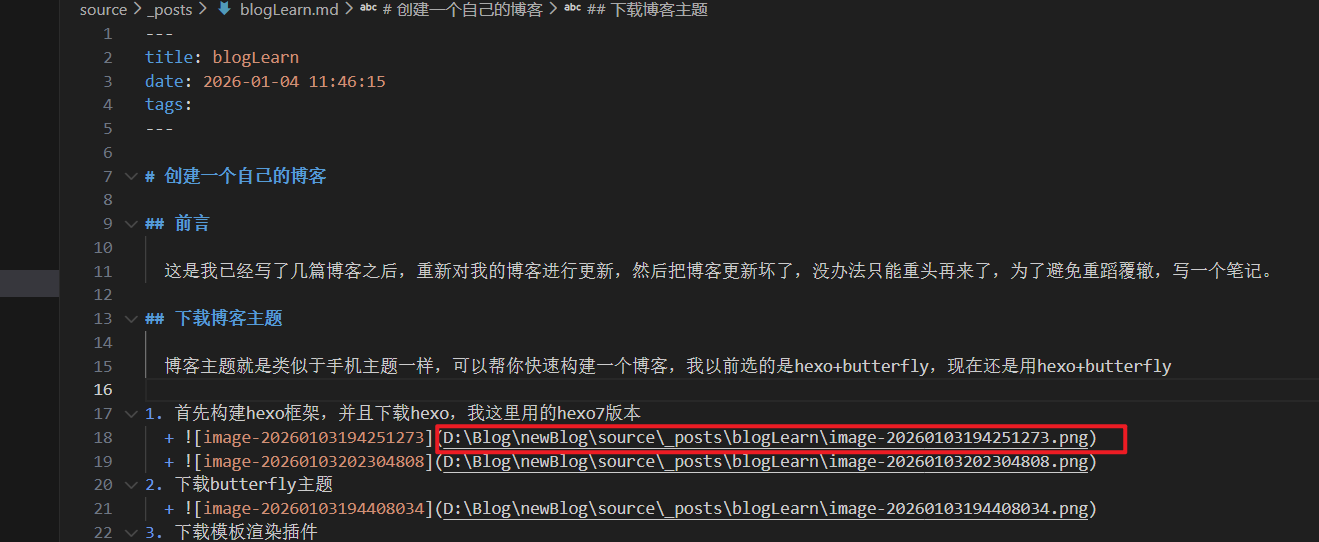
  3. 这里的图片是映射不出来的,因为他这里读取的是我本地图片路径,部署到网站时是无法读取的,我们可以直接部署尝试图片是什么路径

    • image-20260104115257711
    • 但是我们可以直接使用网站目录映射
      • image-20260104115330544
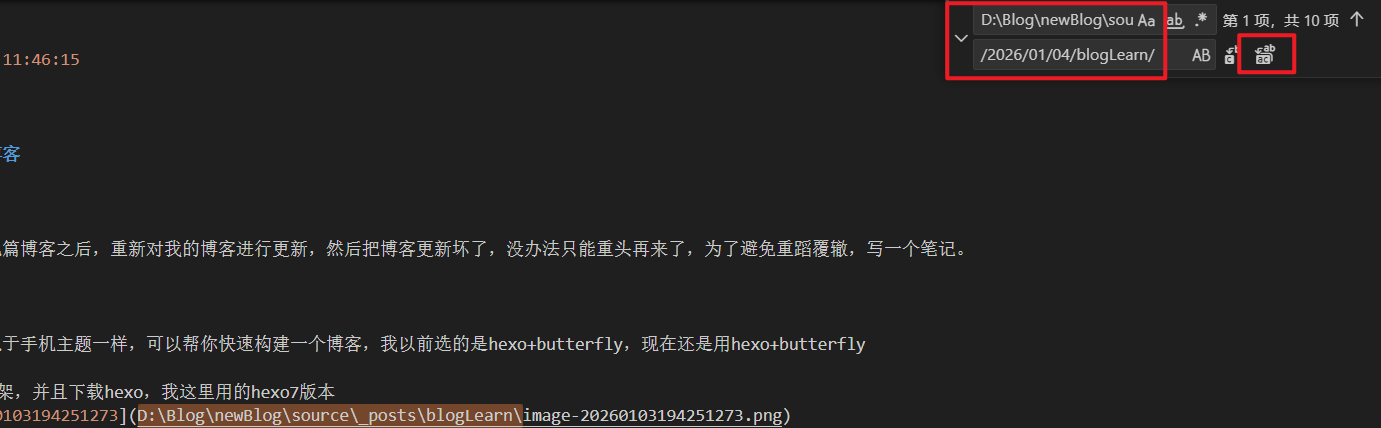
  4. vscode全局替换为网站映射目录
    • image-20260104115448209
  5. 映射成功
    • image-20260104115535587

编写分类界面

在编写博客时,我们可能需要分类页,例如:一个分类页包含了所有的分类标签,或者一个外链页包含了所有的外链

  1. 首先使用butterfly开启导航栏

    • 把注释删除image-20260104121233656
    • 效果展示,每一个就是一个界面,例如/music就是一个music分类界面image-20260104121306061
    • 那直接根据效果改变即可
    • 这是我的导航栏
    1
    2
    3
    4
    5
    6
    menu:
    上朝听政: / || fas fa-home
    翰林书院: /tags/ || fas fa-book #标签
    诸侯会盟: /link/ || fas fa-link #友链
    皇家玉牒: /about/ || fas fa-compact-disc #关于
    御赐黄签: /categories/ || fas fa-bookmark #分类
    • 效果图,图标是butterfly引用FontAwesome 的image-20260104132949957
    • 再使用hexo new page “对应的界面”即可

编写具体的分类页面:友链

覆盖这些配置文件前,记得先备份

  1. 修改[hexoroot]\themes\butterfly\layout\includes\page\flink.pug
1
2
3
4
5
6
7
8
9
10
11
12
13
14
15
16
17
18
19
20
21
22
23
24
25
26
27
28
29
30
31
32
33
34
35
36
37
38
39
40
41
42
43
44
45
46
47
48
49
50
51
52
53
54
55
56
57
58
59
60
61
62
63
64
65
66
67
68
69
70
71
72
73
74
75
76
77
78
79
80
81
82
83
84
85
86
87
88
89
90
91
92
93
94
95
96
97
98
99
100
101
102
103
104
105
106
107
#article-container
if top_img === false
h1.page-title= page.title
.flink
if site.data.link
each i in site.data.link
if i.class_name
h2!= i.class_name
if i.class_desc
.flink-desc!=i.class_desc
if i.flink_style === 'butterfly'
.butterfly-flink-list
- let randomList = i.link_list.slice()
if i.random
- randomList.sort(() => Math.random() - 0.5)
each item in randomList
.flink-list-item
a(href=url_for(item.link) title=item.name target="_blank")
.flink-item-icon
if theme.lazyload.enable
img.nolazyload(data-lazy-src=url_for(item.avatar) onerror=`this.onerror=null;this.src='` + url_for(theme.error_img.flink) + `'` alt=item.name )
else
img.nolazyload(src=url_for(item.avatar) onerror=`this.onerror=null;this.src='` + url_for(theme.error_img.flink) + `'` alt=item.name )
.flink-item-info
.flink-item-name= item.name
.flink-item-desc(title=item.descr)= item.descr
else if i.flink_style === 'flexcard'
.flexcard-flink-list
- let randomList = i.link_list.slice()
if i.random
- randomList.sort(() => Math.random() - 0.5)
each item in randomList
a.flink-list-card(href=url_for(item.link) target='_blank' data-title=item.descr)
.wrapper.cover
- var siteshot = item.siteshot ? url_for(item.siteshot) : 'https://s0.wp.com/mshots/v1/' + item.link + '?w=400&h=300'
if theme.lazyload.enable
img.cover.fadeIn.nolazyload(data-lazy-src=siteshot onerror=`this.onerror=null;this.src='` + url_for(theme.error_img.post_page) + `'` alt='' )
img.cover.fadeIn.nolazyload(data-lazy-src=avatar onerror=`this.onerror=null;this.src='` + url_for(theme.error_img.post_page) + `'` alt='' )
else
img.cover.fadeIn.nolazyload(src=siteshot onerror=`this.onerror=null;this.src='` + url_for(theme.error_img.post_page) + `'` alt='' )
img.cover.fadeIn.nolazyload(data-lazy-src=avatar onerror=`this.onerror=null;this.src='` + url_for(theme.error_img.post_page) + `'` alt='' )
.info
if theme.lazyload.enable
img.flink-avatar.nolazyload(data-lazy-src=url_for(item.avatar) onerror=`this.onerror=null;this.src='` + url_for(theme.error_img.flink) + `'` alt='' )
else
img.nolazyload(src=url_for(item.avatar) onerror=`this.onerror=null;this.src='` + url_for(theme.error_img.flink) + `'` alt='' )
span.flink-sitename= item.name
else if i.flink_style === 'volantis'
.volantis-flink-list
- let randomList = i.link_list.slice()
if i.random
- randomList.sort(() => Math.random() - 0.5)
each item in randomList
a.site-card(target='_blank' rel='noopener' href=url_for(item.link))
.img
- var siteshot = item.siteshot ? url_for(item.siteshot) : 'https://s0.wp.com/mshots/v1/' + item.link + '?w=400&h=300'
img.nolazyload.no-lightbox(src=siteshot onerror=`this.onerror=null;this.src='` + url_for(theme.error_img.post_page) + `'` alt='' )
.info
img.nolazyload.no-lightbox(src=url_for(item.avatar) onerror=`this.onerror=null;this.src='` + url_for(theme.error_img.flink) + `'` alt='' )
span.title= item.name
span.desc(title=item.descr)= item.descr
else if i.flink_style === 'byer'
.byer-flink-list
- let randomList = i.link_list.slice()
if i.random
- randomList.sort(() => Math.random() - 0.5)
each item in randomList
.flink-list-item
a(href=url_for(item.link) title=item.name target="_blank")
.flink-item-bar
sapn.flink-item-bar-yellow
sapn.flink-item-bar-green
sapn.flink-item-bar-red
sapn.flink-item-bar-x +
.flink-item-content
.flink-item-text
.flink-item-name= item.name
.flink-item-desc(title=item.descr)= item.descr
.flink-item-icon
img.no-lightbox(src=url_for(item.avatar) onerror=`this.onerror=null;this.src='` + url_for(theme.error_img.flink) + `'` alt=item.name )
else if i.flink_style === 'ark'
.ark-flink-list
- let randomList = i.link_list.slice()
if i.random
- randomList.sort(() => Math.random() - 0.5)
each item in randomList
a.ark-flink-list-card(href=url_for(item.link) target='_blank' title=item.descr)
.ark-flink-progress-bar-A
.ark-flink-progress-bar-B
.ark-flink-progress-bar-C
.ark-flink-content
.ark-flink-name
.flink-sitename= item.name
.flink-block
.ark-flink-avatar
img.no-lightbox(src=url_for(item.avatar) onerror=`this.onerror=null;this.src='` + url_for(theme.error_img.flink) + `'` alt='' )
.ark-flink-mask
.ark-flink-mask-left
.ark-flink-mask-right
.ark-flink-descr
.ark-flink-descr-text=item.descr
.ark-flink-siteshot
- var siteshot = item.siteshot ? url_for(item.siteshot) : 'https://s0.wp.com/mshots/v1/' + item.link + '?w=400&h=300'
img.no-lightbox(src=siteshot onerror=`this.onerror=null;this.src='` + url_for(theme.error_img.post_page) + `'` alt='' )

!= page.content

  1. 修改[hexoroot]\themes\butterfly\source\css_page\flink.styl
1
2
3
4
5
6
7
8
9
10
11
12
13
14
15
16
17
18
19
20
21
22
23
24
25
26
27
28
29
30
31
32
33
34
35
36
37
38
39
40
41
42
43
44
45
46
47
48
49
50
51
52
53
54
55
56
57
58
59
60
61
62
63
64
65
66
67
68
69
70
71
72
73
74
75
76
77
78
79
80
81
82
83
84
85
86
87
88
89
90
91
92
93
94
95
96
97
98
99
100
101
102
103
104
105
106
107
108
109
110
111
112
113
114
115
116
117
118
119
120
121
122
123
124
125
126
127
128
129
130
131
132
133
134
135
136
137
138
139
140
141
142
143
144
145
146
147
148
149
150
151
152
153
154
155
156
157
158
159
160
161
162
163
164
165
166
167
168
169
170
171
172
173
174
175
176
177
178
179
180
181
182
183
184
185
186
187
188
189
190
191
192
193
194
195
196
197
198
199
200
201
202
203
204
205
206
207
208
209
210
211
212
213
214
215
216
217
218
219
220
221
222
223
224
225
226
227
228
229
230
231
232
233
234
235
236
237
238
239
240
241
242
243
244
245
246
247
248
249
250
251
252
253
254
255
256
257
258
259
260
261
262
263
264
265
266
267
268
269
270
271
272
273
274
275
276
277
278
279
280
281
282
283
284
285
286
287
288
289
290
291
292
293
294
295
296
297
298
299
300
301
302
303
304
305
306
307
308
309
310
311
312
313
.flink-desc
margin: .2rem 0 .5rem
//bf原生
.butterfly-flink-list
overflow: auto
padding: 10px 10px 0
text-align: center

& > .flink-list-item
position: relative
float: left
overflow: hidden
line-height: 17px
-webkit-transform: translateZ(0)
height: 100px;
padding: 10px;
width: calc(100% / 5 - 0.5rem)
margin: 0.5rem 0.25rem;
border-radius: 12px;
border: var(--style-border);
-webkit-transition: all .3s ease-in-out;
-moz-transition: all .3s ease-in-out;
-o-transition: all .3s ease-in-out;
-ms-transition: all .3s ease-in-out;
transition: all .3s ease-in-out;

+maxWidth1200()
width: calc(50% - 15px) !important

+maxWidth600()
width: calc(100% - 15px) !important

&:hover
border-color: #101010 !important;
background-color: #eeeeee !important;
box-shadow: #cccccc !important;

.flink-item-icon
width: 0;
height: 0;
margin-left: -10px;


&:hover:before,
&:focus:before,
&:active:before
transform: scale(1)

a
color: var(--font-color)
text-decoration: none

.flink-item-icon
float: left
overflow: hidden
margin: 15px 10px
width: 60px
height: 60px
border-radius: 35px
transition: all .3s ease-out
margin: 8px 0 8px 0;
border-radius: 50%;
overflow: hidden;

img
width: 100%
height: 100%
transition: filter 375ms ease-in .2s, transform .3s
object-fit: cover

.img-alt
display: none

.flink-item-info
display: flex;
flex-wrap: wrap;
padding-left: 10px;
text-align: left;
flex-direction: column;

.flink-item-name
@extend .limit-one-line
padding: 12px 0 16px 0;
height: auto;
font-weight: bold
font-size: 1.2em

.flink-item-desc
@extend .limit-one-line
padding: 0
height: 35px
font-size: .93em
opacity: .7;
word-break: break-all;
white-space: break-spaces;
display: -webkit-box;
overflow: hidden;
-webkit-box-orient: vertical;
-webkit-line-clamp: 2;

.flink-name
margin-bottom: 5px
font-weight: bold
font-size: 1.5em
//flexcard卡片
#article-container img
margin-bottom: 0.5rem;
object-fit: cover;
max-height: 900px;
.flexcard-flink-list
overflow hidden
.flink-list-card
.wrapper img
transition: transform .5s ease-out !important;

& > a
width: calc(100% / 5 - 0.5rem);
height 150px
position relative
display block
margin: 0.5rem 0.25rem;
float left
overflow hidden
padding: 0;
border-radius: 8px;
transition all .3s ease 0s, transform .6s cubic-bezier(.6, .2, .1, 1) 0s
box-shadow none
border: var(--style-border)!important;
&:hover
.info
transform translateY(-100%)
.wrapper
img
transform scale(1.2)
&::before
position: fixed
width:inherit
margin:auto
left:0
right:0
top:10%
border-radius: 10px
text-align: center
z-index: 100
content: attr(data-title)
font-size: 20px
color: #fff
padding: 10px
background-color: rgba($theme-color,0.8)

.cover
width 100%
transition transform .5s ease-out
.wrapper
position relative
.fadeIn
animation coverIn .8s ease-out forwards
img
height 150px
pointer-events none
.info
display flex
flex-direction column
justify-content center
align-items center
width 100%
height 100%
overflow hidden
border-radius 3px
background-color hsla(0, 0%, 100%, .7)
transition transform .5s cubic-bezier(.6, .2, .1, 1) 0s
img
position relative
top 45px
width 80px
height 80px
border-radius 50%
box-shadow 0 0 10px rgba(0, 0, 0, .3)
z-index 1
text-align center
pointer-events none
span
padding 20px 10% 60px 10%
font-size 16px
width 100%
text-align center
box-shadow 0 0 10px rgba(0, 0, 0, .3)
background-color hsla(0, 0%, 100%, .7)
color var(--font-color)
white-space nowrap
overflow hidden
text-overflow ellipsis
.flexcard-flink-list>a .info,
.flexcard-flink-list>a .wrapper .cover
position absolute
top 0
left 0

@media screen and (max-width:1024px)
.flexcard-flink-list
& > a
width calc(33.33333% - 15px)

@media screen and (max-width:600px)
.flexcard-flink-list
& > a
width calc(50% - 15px)

[data-theme=dark]
.flexcard-flink-list a .info,
.flexcard-flink-list a .info span
background-color rgba(0, 0, 0, .6)
.flexcard-flink-list
& > a
&:hover
&:before
background-color: rgba(#121212,0.8);
.justified-gallery > div > img,
.justified-gallery > figure > img,
.justified-gallery > a > a > img,
.justified-gallery > div > a > img,
.justified-gallery > figure > a > img,
.justified-gallery > a > svg,
.justified-gallery > div > svg,
.justified-gallery > figure > svg,
.justified-gallery > a > a > svg,
.justified-gallery > div > a > svg,
.justified-gallery > figure > a > svg
position static!important


trans($time = 0.28s)
transition: all $time ease
-moz-transition: all $time ease
-webkit-transition: all $time ease
-o-transition: all $time ease

//volantis卡片,我的最爱
.volantis-flink-list
display: flex
flex-wrap: wrap
justify-content: flex-start
margin: -0.5 * 16px
align-items: stretch
.site-card
margin: 16px * 0.5
width: "calc(100% / 4 - %s)" % 16px
@media screen and (min-width: 2048px)
width: "calc(100% / 5 - %s)" % 16px
@media screen and (max-width: 768px)
width: "calc(100% / 3 - %s)" % 16px
@media screen and (max-width: 500px)
width: "calc(100% / 2 - %s)" % 16px
display: block
line-height: 1.4
height 100%
.img
width: 100%
height 150px
@media screen and (max-width: 500px)
height 100px
overflow: hidden
border-radius: 12px * 0.5
box-shadow: 0 1px 2px 0px rgba(0, 0, 0, 0.2)
background: #f6f6f6
img
width: 100%
height 100%
pointer-events:none;
// trans(.75s)
transition: transform 2s ease
object-fit: cover

.info
margin-top: 16px * 0.5
img
width: 32px
height: 32px
pointer-events:none;
border-radius: 16px
float: left
margin-right: 8px
margin-top: 2px
span
display: block
.title
font-weight: 600
font-size: var(--global-font-size)
color: #444
display: -webkit-box
-webkit-box-orient: vertical
overflow: hidden
-webkit-line-clamp: 1
trans()
.desc
font-size: var(--global-font-size)
word-wrap: break-word;
line-height: 1.2
color: #888
display: -webkit-box
-webkit-box-orient: vertical
overflow: hidden
-webkit-line-clamp: 2
.img
trans()
&:hover
.img
box-shadow: 0 4px 8px 0px rgba(0, 0, 0, 0.1), 0 2px 4px 0px rgba(0, 0, 0, 0.1), 0 4px 8px 0px rgba(0, 0, 0, 0.1), 0 8px 16px 0px rgba(0, 0, 0, 0.1)
.info .title
color: #ff5722

  1. [hexoroot]source_data\link.yml没有这个路径就创建一个
1
2
3
4
5
6
7
8
9
10
11
12
13
- class_name: 王侯藩国  
flink_style: volantis
link_list:
- name: lplum
link: https://blog.csdn.net/lplum_?spm=1000.2115.3001.5343
avatar: /images/lplum.jpg
descr: 队内的pwn手,压力怪
siteshot: /images/lplum_siteshot.jpg
- name: Hexo
link: https://hexo.io/
avatar: https://hexo.io/img/favicon.webp
descr: 快速、简洁且高效的博客框架

  1. 效果预览image-20260104145600358

编写具体的归档界面

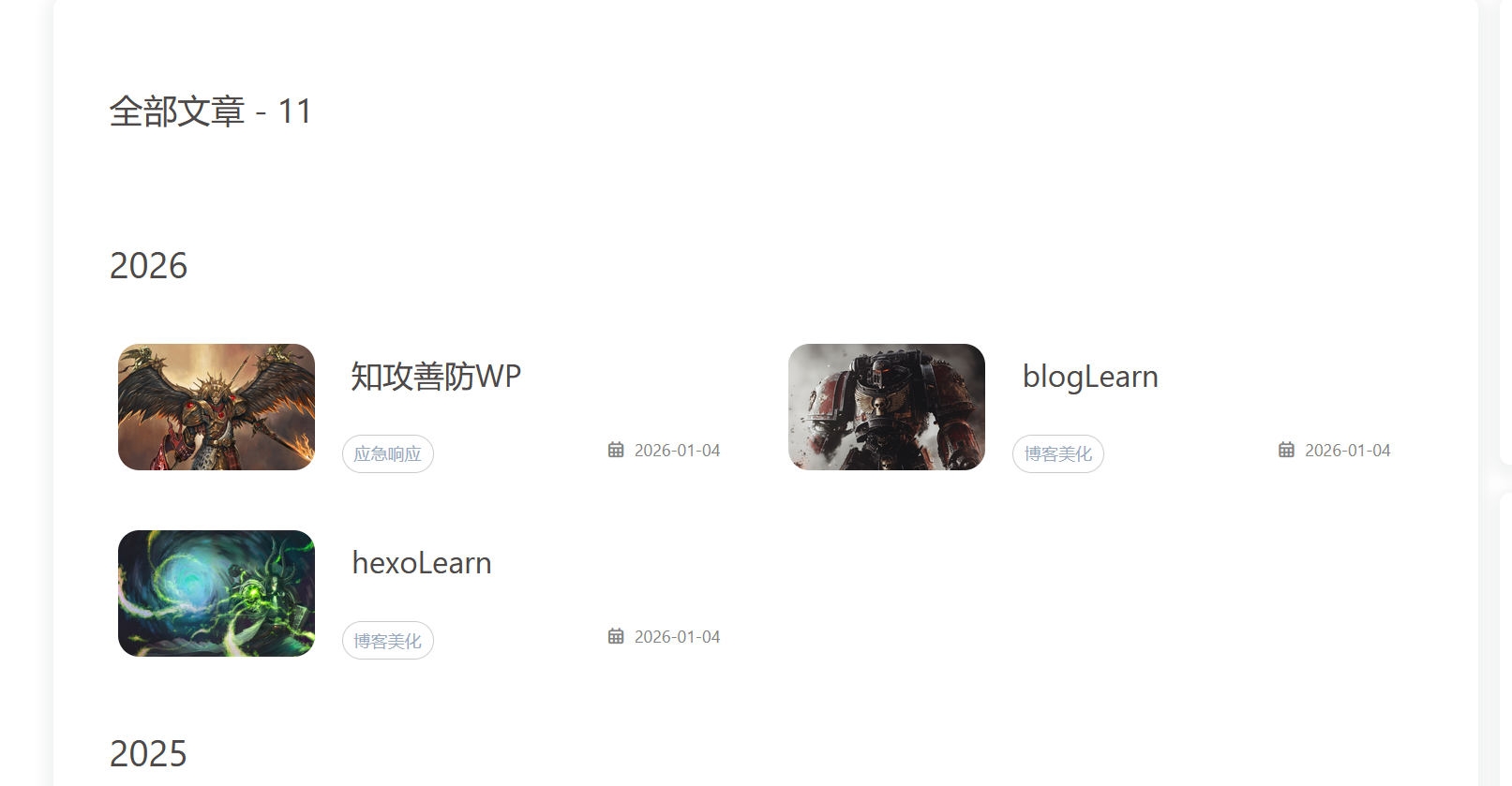
这些界面都是由butterfly函数自动计算产生,即你只要在你写的文章前加上这个分类,他就会自动计算

例如:

1
2
3
4
5
6
7
---
title: blogLearn
date: 2026-01-04 11:46:15
tags:
- hexo-butterfly
categories:
- 博客美化

这样butterfly就会自动产生tag标签和categories分类

参考:Butterfly归档、分类、标签美化 | June’s Blog

下面给的是butterfly的标签页面和分类界面、归档界面美化教程:

覆盖这些配置文件前,记得先备份,没有文件就创建

  1. [hexoroot]\source\css\layout.css

    1
    2
    3
    4
    5
    6
    7
    8
    9
    10
    11
    12
    13
    14
    15
    16
    17
    18
    19
    20
    21
    22
    23
    24
    25
    26
    27
    28
    29
    30
    31
    32
    33
    34
    35
    36
    37
    38
    39
    40
    41
    42
    43
    44
    45
    46
    47
    48
    49
    50
    51
    52
    53
    54
    55
    56
    57
    58
    59
    60
    61
    62
    63
    64
    65
    66
    67
    68
    69
    70
    71
    72
    73
    74
    75
    76
    77
    78
    79
    80
    81
    82
    83
    84
    85
    86
    87
    88
    89
    90
    91
    92
    93
    94
    95
    96
    97
    98
    99
    100
    101
    102
    103
    104
    105
    106
    107
    108
    109
    110
    111
    112
    113
    114
    115
    116
    117
    118
    119
    120
    121
    122
    123
    124
    125
    126
    127
    128
    129
    130
    131
    132
    133
    134
    135
    136
    137
    138
    139
    140
    141
    142
    143
    144
    145
    146
    147
    148
    149
    150
    151
    152
    153
    154
    155
    156
    157
    158
    159
    160
    161
    162
    163
    164
    165
    166
    167
    168
    169
    170
    171
    172
    173
    174
    175
    176
    177
    178
    179
    180
    181
    182
    183
    184
    185
    186
    187
    188
    189
    190
    /* 归档页 */
    .layout.hide-aside {
    max-width: 1400px;
    }

    #archive,
    #tag,
    #category {
    background: var(--june-card-bg);
    padding: 25px 10px;
    }

    .article-sort-title {
    margin-top: 30px;
    margin-bottom: 20px;
    }

    .article-sort-item::before,
    .article-sort-title::before,
    .article-sort-title::after {
    content: none;
    }

    .article-sort .year {
    width: 100% !important;
    border-bottom: dashed 5px var(--june-theme);
    font-size: 26px;
    margin-top: 20px;
    }

    .article-sort {
    border: none;
    display: flex;
    flex-wrap: wrap;
    margin: 20px 20px;
    padding: 0;
    }

    .article-sort-item:not(.year) {
    padding: 8px 10px;
    width: calc(50% - 0.8rem);
    margin: 0.4rem;
    border: 2px solid var(--june-theme);
    border-radius: 15px;
    background: var(--card-bg);
    transition: 0.5s;
    height: 120px;
    }

    .article-sort-item-a {
    position: absolute;
    width: 100%;
    height: 100%;
    }

    .article-sort-item-img {
    transition: 0.5s;
    height: 90px;
    width: 140px;
    }

    .article-sort-item>a>img {
    border-radius: 15px;
    }

    .article-sort-item-title {
    font-size: 22px;
    padding-left: 10px;
    margin: 10px 0;
    line-height: 25px;
    text-overflow: ellipsis;
    }

    .article-sort-item-title:hover {
    transform: none;
    }

    .article-sort-meta {
    height: max-content;
    position: relative;
    }

    .article-sort-meta>.article-meta-wrap {
    float: left;
    }

    .article-sort-meta>.article-sort-item-time {
    float: right;
    }

    .article-sort-item-categories,
    .article-sort-item-tags {
    margin: 0 3px;
    padding: 5px 8px;
    border-radius: 25px;
    border: 1px solid var(--dark-grey);
    font-size: 12px;
    transition: 0.5s;
    }

    .article-sort-item-info>div:not(.article-sort-meta) {
    display: flex;
    }

    .article-sort-description,
    .article-sort-item>i {
    width: 0;
    opacity: 0;
    overflow: hidden;
    transition: 0.5s;
    }

    .article-sort-description {
    width: 0;
    height: 59px;
    vertical-align: middle;
    margin: 5px 10px 0 15px;
    text-overflow: ellipsis;
    }

    .article-sort-item:hover:not(.year) {
    background-color: var(--june-theme);
    box-shadow: 0 0 10px var(--june-theme);
    }

    .article-sort-item:hover:not(.year) {
    background-color: var(--june-theme);
    box-shadow: 0 0 10px var(--june-theme);
    }

    .article-sort-item:hover:not(.year) .article-sort-description,
    .article-sort-item:hover:not(.year)>i {
    width: auto;
    opacity: 1;
    }

    .article-sort-item:hover:not(.year) .article-sort-description {
    width: auto;
    }

    .article-sort-item:hover:not(.year) .article-sort-item-img {
    transition: 0.5s;
    width: 0;
    }

    .article-sort-item:hover:not(.year) .article-sort-item-title {
    color: var(--june-white) !important;
    }

    .article-sort-item:hover:not(.year) .article-meta-wrap a,
    .article-sort-item:hover:not(.year) .article-sort-description,
    .article-sort-item:hover:not(.year) .article-sort-item-time {
    color: var(--june-light-grey) !important;
    }

    .article-sort-item:hover:not(.year) .article-sort-item-categories {
    border: 1.5px solid #212F3C;
    }

    .article-sort-item:hover:not(.year) .article-sort-item-tags {
    border: 1.5px solid var(--june-blue);
    }

    .article-sort-item:hover:not(.year) .article-sort-item-categories:hover {
    background: #212F3C;
    box-shadow: 0 0 5px #212F3C;
    }

    .article-sort-item:hover:not(.year) .article-sort-item-tags:hover {
    background: var(--june-blue);
    box-shadow: 0 0 5px var(--june-blue);
    }

    @media screen and (max-width:768px) {
    .article-sort-item:not(.year) {
    width: 100%;
    }

    .article-sort-meta>.article-meta-wrap {
    display: none;
    }

    .article-sort-item-title {
    font-size: 16px;
    }

    .article-sort-item-img {
    width: 90px;
    }
    }
  2. [hexoroot]\themes\butterfly\layout\includes\mixins\article-sort.pug

    1
    2
    3
    4
    5
    6
    7
    8
    9
    10
    11
    12
    13
    14
    15
    16
    17
    18
    19
    20
    21
    22
    23
    24
    25
    26
    27
    28
    29
    30
    31
    32
    33
    34
    35
    36
    37
    38
    mixin articleSort(posts)
    .article-sort
    - var year
    - posts.each(function (article) {
    - let tempYear = date(article.date, 'YYYY')
    - let no_cover = article.cover === false || !theme.cover.archives_enable ? 'no-article-cover' : ''
    - let title = article.title || _p('no_title')
    if tempYear !== year
    - year = tempYear
    .article-sort-item.year= year
    .article-sort-item(class=no_cover)
    a.article-sort-item-a(href=url_for(article.path) title=title)
    if article.cover && theme.cover.archives_enable
    a.article-sort-item-img(href=url_for(article.path) title=title)
    img(src=url_for(article.cover) alt=title onerror=`this.onerror=null;this.src='${url_for(theme.error_img.post_page)}'`)
    .article-sort-item-info
    div
    a.article-sort-item-title(href=url_for(article.path) title=title)= title
    .article-sort-description= article.description
    .article-sort-meta
    .article-meta-wrap
    if (theme.post_meta.page.categories && article.categories.data.length > 0)
    span.article-sort-item-categories
    each item, index in article.categories.data
    a(href=url_for(item.path)).article-meta__categories #[=item.name]
    if (index < article.categories.data.length - 1)
    i.fas.fa-angle-right
    if (theme.post_meta.page.tags && article.tags.data.length > 0)
    each item, index in article.tags.data
    span.article-sort-item-tags
    a(href=url_for(item.path)).article-meta__tags #[=item.name]
    if (index < article.tags.data.length - 1)
    span.article-meta__link
    .article-sort-item-time
    i.far.fa-calendar-alt
    time.post-meta-date-created(datetime=date_xml(article.date) title=_p('post.created') + ' ' + full_date(article.date))= date(article.date, config.date_format)
    i.fas.fa-chevron-right
    - })
  3. hexo根目录下的butterfly.yml修改

    1
    2
    3
    4
    5
    inject:
    head:
    - <link rel="stylesheet" href="/css/layout.css">
    bottom:
    # - <script src="/js/script.js?1"></script>
  4. 效果预览

    • image-20260118182545428

修改图片

这些都只用进行图片引用,直接参照官方文档导入图片即可:
Butterfly 文檔(三) 主題配置 | Butterfly

页脚修改

参考文章:

Butterfly美化总结 | June’s Blog

覆盖这些配置文件前,记得先备份,没有文件就创建

主要效果:实现页脚运行时间、shieldsio图标、写书

  1. 修改[hexoroot]\themes\butterfly\layout\includes\footer.pug
1
2
3
4
5
6
7
8
9
10
11
12
13
14
15
16
17
18
19
20
21
22
23
24
25
26
27
28
29
30
31
32
33
34
35
36
37
38
39
40
41
42
43
44
45
46
47
48
49
50
51
52
53
54
55
56
57
58
59
60
61
62
63
64
65
66
67
68
69
70
71
72
73
74
75
76
77
78
79
80
81
82
83
84
85
86
87
88
89
90
91
92
93
94
95
96
#footer-wrap
#footer-left
.footer-title
span= config.title + ' | '
if theme.footer.owner.enable
- var now = new Date()
- var nowYear = now.getFullYear()
if theme.footer.owner.since && theme.footer.owner.since != nowYear
span.footer-copyright!= `&copy;${theme.footer.owner.since} - ${nowYear} <i class="fa-fw fas fa-heartbeat card-announcement-animation cc_pointer"></i> By ${config.author}`
else
span.footer-copyright!= `&copy;${nowYear} By ${config.author}`
.wordcount
- let allword = totalcount(site)
span= 'yyssh 已经写了 ' + allword + ' 字,'
if isNaN(allword)
- allword= Number(allword.replace('k', ''))
if allword< 30
span= "摆烂啦,不写啦!"
else if allword< 50
span= "好像写完一本 海明威 的 《老人与海》 了,摆烂啊"
else if allword< 70
span= "好像写完一本 埃克苏佩里 的 《小王子》 了,摆烂啊"
else if allword< 90
span= "好像写完一本 鲁迅 的 《呐喊》 了,摆烂啊"
else if allword< 100
span= "好像写完一本 林海音 的 《城南旧事》 了,摆烂啊"
else if allword< 110
span= "好像写完一本 马克·吐温 的 《王子与乞丐》了! 了,摆烂啊"
else if allword< 120
span= "好像写完一本 鲁迅 的 《彷徨》 了,摆烂啊"
else if allword< 130
span= "好像写完一本 余华 的 《活着》 了,摆烂啊"
else if allword< 140
span= "好像写完一本 曹禺 的 《雷雨》 了,摆烂啊"
else if allword< 150
span= "好像写完一本 史铁生 的 《宿命的写作》 了,摆烂啊"
else if allword< 160
span= "好像写完一本 伯内特 的 《秘密花园》 了,摆烂啊"
else if allword< 170
span= "好像写完一本 曹禺 的 《日出》 了,摆烂啊"
else if allword< 180
span= "好像写完一本 马克·吐温 的 《汤姆·索亚历险记》 了,摆烂啊"
else if allword< 190
span= "好像写完一本 沈从文 的 《边城》 了,摆烂啊"
else if allword< 200
span= "好像写完一本 亚米契斯 的 《爱的教育》 了,摆烂啊"
else if allword< 210
span= "好像写完一本 巴金 的 《寒夜》 了,摆烂啊"
else if allword< 220
span= "好像写完一本 东野圭吾 的 《解忧杂货店》 了,摆烂啊"
else if allword< 230
span= "好像写完一本 莫泊桑 的 《一生》 了,摆烂啊"
else if allword< 250
span= "好像写完一本 简·奥斯汀 的 《傲慢与偏见》 了,摆烂啊"
else if allword< 280
span= "好像写完一本 钱钟书 的 《围城》 了,摆烂啊"
else if allword< 300
span= "好像写完一本 张炜 的 《古船》 了,摆烂啊"
else if allword< 310
span= "好像写完一本 茅盾 的 《子夜》 了,摆烂啊"
else if allword< 320
span= "好像写完一本 阿来 的 《尘埃落定》 了,摆烂啊"
else if allword< 340
span= "好像写完一本 艾米莉·勃朗特 的 《呼啸山庄》 了,摆烂啊"
else if allword< 350
span= "好像写完一本 雨果 的 《巴黎圣母院》 了,摆烂啊"
else if allword< 360
span= "好像写完一本 东野圭吾 的 《白夜行》 了,摆烂啊"
else
span= "不写其他人的了,就写自己的小说了"
else
span= "摆烂啦,不写啦!"
#footer-right
.footer-totop
i.fas.fa-chevron-up(onclick='rmf.scrollToTop()')
.footer-info
span.footer-runtime
span.footer-by
//- p= '使用Hexo框架 | 基于butterfly修改'

//- a(title='湘公网安备 2023003198号' href='http://www.beian.gov.cn/portal/registerSystemInfo?recordcode=2023003198')= '湘公网安备 2023003198号'

//- a(title='萌ICP备20223993号' href='https://icp.gov.moe/?keyword=20223993')= '萌ICP备20223993号'
.footer-service
//- a(title='yyssh备案部' href='#')= 'yyssh备案部'
//- a(title='腾讯云' href='https://cloud.tencent.com')
img(alt='腾讯云' src='https://img.june-pj.cn/img/2024/01/16/tencent.webp')
a(target='_blank' href='https://www.51.la')
img(alt='hexo' src='https://img.shields.io/badge/Frame-Hexo-blue?style=flat&logo=hexo')
a(target='_blank' href='https://www.51.la')
img(alt='github' src='https://img.shields.io/badge/Deploy-yyssh-white?style=flat&logo=github')
a(target='_blank' href='https://www.51.la')
img(alt='github' src='https://img.shields.io/badge/Dream-Web-green?style=flat&logo=maserati')
//- a(title='CC BY-NC-SA 4.0' href='https://creativecommons.org/licenses/by-nc-sa/4.0/deed.zh')
//- img(alt='CC BY-NC-SA 4.0' src='https://img.june-pj.cn/img/2024/01/16/cc.webp')
```
  1. 修改[hexoroot]\source\css\footer.css文件
1
2
3
4
5
6
7
8
9
10
11
12
13
14
15
16
17
18
19
20
21
22
23
24
25
26
27
28
29
30
31
32
33
34
35
36
37
38
39
40
41
42
43
44
45
46
47
48
49
50
51
52
53
54
55
56
57
58
59
60
61
62
63
64
65
66
67
68
69
70
71
72
73
74
75
76
77
78
79
80
81
82
83
84
85
86
87
88
89
90
91
92
93
94
95
96
97
98
99
100
101
102
103
104
105
106
107
108
109
110
111
112
113
114
115
116
117
118
119
120
121
122
123
124
125
126
127
128
129
130
131
132
133
134
135
136
137
138
139
140
141
142
143
144
145
146
147
148
149
150
151
152
153
154
155
156
157
158
159
160
161
162
163
/* 页脚 */
.footer_custom_text a {
margin: 0 5px;
}

#footer::before {
content: none;
}

:root {
--june-white: #fc4d4d;
/* 定义白色 */
}

#footer-wrap {
color: var(--june-white);
padding: 50px 5% 35px 5%;
display: flex;
flex-wrap: wrap;
background: var(--june-theme);
position: relative;
}

#footer-wrap>div {
width: 50%;
}

#footer-left {
text-align: left
}

.footer-title {
font-size: 1.5rem;
font-weight: bold;
}

.footer-copyright {
font-size: 1rem;
font-weight: normal;
}

#footer-wrap .footer-button {
display: flex;
margin: 15px 0;
}

#footer-wrap .footer-button>a {
font-size: 1.3rem;
margin-right: 24px;
transition: 0.2s;
background: #04f414;
width: 40px;
height: 40px;
display: flex;
border-radius: 50%;
color: white;
}

#footer-wrap .footer-button>a:hover {
background: var(--june-theme);
transition: 0.2s;
}

#footer-wrap .footer-button>a i {
margin: auto;
line-height: 42px;
}

#footer-wrap .iconfont {
font-size: 1.3rem;
}

#footer-right {
text-align: right;
height: max-content;
margin-top: auto;
}

#footer-right p,
#footer-right a {
color: var(--june-white);
}

.footer-totop {
position: absolute;
top: 20px;
left: 50%;
transform: translateX(-50%);
}

.footer-totop i {
font-size: 2rem;
animation: footerToTop 1.2s linear infinite;
cursor: pointer;
}

.footer-info p {
font-size: 14px;
margin: 0;
}

.footer-info a {
margin-left: 20px;
transition: 0.2s;
}

.footer-info a:hover {
color: var(--june-theme-op) !important;
transition: 0.2s;
}

.footer-info a:hover img {
filter: none !important;
transition: 0.2s;
}

.footer-service img {
height: 20px;
/* filter: brightness(1000%); */
/* 将灰度图像提高亮度至白色 */
margin-left: 20px;
margin-top: 10px;
transition: 0.2s;
}

.footer-service img:hover {
filter: brightness(100%);
/* 取消悬停时的滤镜效果 */
transition: 0.2s;
}

@keyframes footerToTop {
0% {
transform: translateY(0);
}

60% {
transform: translateY(-25%);
}

100% {
transform: translateY(0);
}
}

@media screen and (max-width:768px) {
#footer-wrap>div {
width: 100%;
text-align: center;
}

#footer-wrap .footer-button>a {
margin: 0 auto;
}
}

.footer-info {
display: flex;
justify-content: flex-end;
gap: 20px;
font-size: 14px;
}
```
  1. 新建js文件[hexoroot]\source\js\foot.js
1
2
3
4
5
6
7
8
9
10
11
12
13
14
15
16
17
18
19
20
21
22
23
// 确保 DOM 加载完成后再执行  
document.addEventListener('DOMContentLoaded', function () {
// footer 运行时间(右侧)
function updateFooterRuntime() {
const footerRuntime = document.querySelector('.footer-runtime');
if (!footerRuntime) return;

const BirthDay = new Date("12/30/2025 01:39:42");
const now = new Date();
const diff = now - BirthDay;

const days = Math.floor(diff / (1000 * 60 * 60 * 24));
const hours = Math.floor(diff / (1000 * 60 * 60)) % 24;
const mins = Math.floor(diff / (1000 * 60)) % 60;
const secs = Math.floor(diff / 1000) % 60;

footerRuntime.innerHTML = `大脑已过载 <span style="color:#afb4db">${days}</span> 天 <span style="color:#f391a9">${hours}</span> 时 <span style="color:#fdb933">${mins}</span> 分 <span style="color:#a3cf62">${secs}</span> 秒`;
}

updateFooterRuntime();
setInterval(updateFooterRuntime, 1000);
});
```
  1. inject注入css、js文件
  • image-20260108115942936
  1. 效果预览
  • image-20260108115950844

首页轮播图添加

参考文章:

Butterfly轮播图Swiper | June’s Blog

Swiper Bar | Akilarの糖果屋

覆盖这些配置文件前,记得先备份,没有文件就创建

  1. 首先安装hexo插件,如果之前安装了其他的swiper插件记得删除,否则会swiper冲突

    1
    npm install -s hexo-butterfly-swiper-lyx@1.0.1
  2. 修改[hexoroot]\themes\butterfly\layout\includes\header\nav.pug

    1
    2
    3
    4
    5
    6
    7
    8
    9
    10
    11
    12
    13
    14
    15
    16
    17
    18
    19
    20
    21
    22
    23
    24
    25
    26
    nav#nav
    span#blog-info
    a.nav-site-title(href=url_for('/'))
    if theme.nav.logo
    img.site-icon(src=url_for(theme.nav.logo) alt='Logo')
    if theme.nav.display_title
    span.site-name=config.title
    if globalPageType === 'post' && theme.nav.display_post_title
    a.nav-page-title(href=url_for('/'))
    span.site-name=(page.title || config.title)
    span.site-name
    i.fa-solid.fa-circle-arrow-left
    span= ' ' + _p('post.back_to_home')

    #menus
    if theme.search.use
    #search-button
    span.site-page.social-icon.search
    i.fas.fa-search.fa-fw
    span= ' ' + _p('search.title')
    if theme.menu
    != partial('includes/header/menu_item', {}, {cache: true})

    #toggle-menu
    span.site-page
    i.fas.fa-bars.fa-fw
  3. butterfly的配置文件末尾添加,具体配置信息可以查看上面糖果屋的参考文章

    1
    2
    3
    4
    5
    6
    7
    8
    9
    10
    11
    12
    13
    swiper:
    enable: true # 开关
    priority: 5 # 过滤器优先权
    enable_page: / # 应用页面
    layout: # 挂载容器类型
    type: id
    name: recent-posts
    index: 0
    default_descr: 懒得写描述,摆烂
    swiper_css: https://cdnjs.cloudflare.com/ajax/libs/Swiper/5.4.5/css/swiper.min.css
    swiper_js: https://cdnjs.cloudflare.com/ajax/libs/Swiper/5.4.5/js/swiper.min.js
    custom_css: https://npm.elemecdn.com/hexo-butterfly-swiper-lyx/lib/swiperstyle.css
    custom_js: https://npm.elemecdn.com/hexo-butterfly-swiper-lyx/lib/swiper_init.js
  4. css文件添加[hexoroot]\source\css\swiper.css,修改了一个大屏适配

    1
    2
    3
    4
    5
    6
    7
    8
    9
    10
    11
    12
    13
    14
    15
    16
    17
    18
    19
    20
    21
    22
    23
    24
    25
    26
    27
    28
    29
    30
    31
    32
    33
    34
    35
    36
    37
    38
    39
    40
    41
    42
    43
    44
    45
    46
    47
    48
    49
    50
    51
    52
    53
    54
    55
    56
    57
    58
    59
    60
    61
    62
    63
    64
    65
    66
    67
    .swiper-button-prev,
    .swiper-button-next {
    background-image: none !important;
    /* 去掉swiper.min.css中按钮的背景图片 */
    }

    .swiper-button-next:after,
    .swiper-button-prev:after {
    color: var(--june) !important;
    /* 箭头的颜色 */
    }

    @media screen and (min-width: 768px) {
    #swiper_container {
    height: 270px !important
    }

    .blog-slider__title {
    font-size: 1.8rem;
    text-align: center
    }

    .blog-slider__content>* {
    margin: 5px !important;
    /* 设置子元素的外边距为 5px */
    }
    }

    @media screen and (max-width: 768px) {
    #swiper_container {
    height: 12rem !important
    }

    .blog-slider__title {
    font-size: 1.3rem;
    text-align: center
    }

    .blog-slider__text {
    display: none
    }
    }

    /* =================================================
    * 大屏:让轮播图像小屏一样,占一整行(两列)
    * 只追加,不覆盖原有规则
    * ================================================= */

    @media screen and (min-width: 768px) {

    /* 只命中“包含 swiper 的那张卡片” */
    #recent-posts>.recent-post-item:has(#swiper_container) {
    width: 100% !important;
    max-width: 100% !important;
    flex: 0 0 100% !important;

    /* 兼容 Butterfly masonry 定位 */
    position: relative !important;
    transform: none !important;
    }

    /* swiper 自身撑满 */
    #recent-posts>.recent-post-item:has(#swiper_container) #swiper_container,
    #recent-posts>.recent-post-item:has(#swiper_container) .blog-slider {
    width: 100% !important;
    }
    }
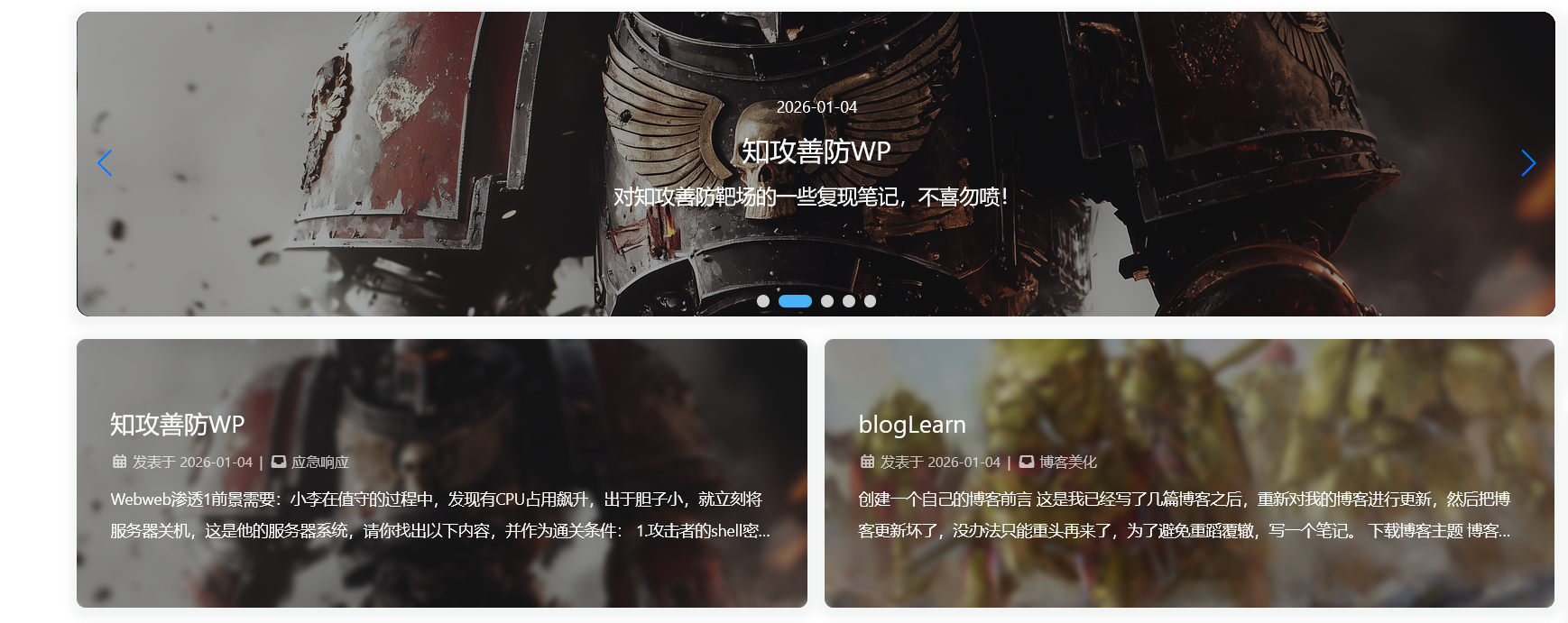
  5. butterfly配置文件注入

    • image-20260105114034456
  6. 文章选入轮播图

    • image-20260105114339347
  7. 效果预览

    image-20260105114053527

网站加载动画

参考文章:

魔改butterfly主题记录 | yhm

覆盖这些配置文件前,记得先备份,没有文件就创建

  1. [hexoroot]\themes\butterfly\layout\includes\custom\custom-loading.pug

    1
    2
    3
    4
    5
    6
    7
    8
    9
    10
    11
    12
    13
    14
    15
    16
    17
    18
    19
    20
    21
    22
    23
    24
    25
    26
    27
    28
    29
    30
    31
    32
    33
    34
    35
    36
    37
    38
    39
    40
    41
    #loading-box
    .loading-left-bg
    .loading-right-bg
    .spinner-box
    .loading_img

    script.
    window.paceOptions = {
    restartOnPushState: false
    }

    link(rel="stylesheet", href=url_for(theme.preloader.pace_css_url || theme.asset.pace_default_css))
    script(src=url_for(theme.asset.pace_js))

    script.
    (()=>{
    const $loadingBox = document.getElementById('loading-box')
    const $body = document.body
    const preloader = {
    endLoading: () => {
    $body.style.overflow = ''
    $loadingBox.classList.add('loaded')
    },
    initLoading: () => {
    $body.style.overflow = 'hidden'
    $loadingBox.classList.remove('loaded')
    }
    }

    preloader.initLoading()
    //- pace进度条结束后再关闭loading
    Pace.on('done', preloader.endLoading)

    btf.addGlobalFn('pjaxSend', () => {
    Pace.restart()
    if (!{theme.pjax && theme.pjax.enable}){
    preloader.initLoading()
    }
    }, 'pace_restart')
    })()

  2. [hexoroot]\themes\butterfly\layout\includes\loading\index.pug

    1
    2
    3
    4
    5
    6
    7
    8
    9
    10
    if theme.preloader.enable
    if theme.preloader.source === 1
    include ./fullpage-loading.pug
    //- 用于替换页面加载动画
    else if theme.preloader.source === 3
    include ../custom/custom-loading.pug
    //- 用于替换页面加载动画
    else
    include ./pace.pug

  3. [hexoroot]\themes\butterfly\source\css_layout\loading.styl文章末尾添加

    1
    2
    3
    4
    5
    6
    7
    8
    9
    10
    11
    12
    13
    14
    15
    16
    17
    18
    19
    20
    21
    22
    23
    24
    25
    26
    27
    28
    29
    30
    31
    32
    33
    34
    35
    36
    37
    38
    39
    40
    41
    42
    43
    44
    45
    // 添加自定义动画加载样式
    else if hexo-config('preloader.enable') && hexo-config('preloader.source') == 3
    .loading-bg
    position: fixed
    z-index: 1000
    width: 50%
    height: 100%
    background-color: var(--preloader-bg)

    #loading-box
    .loading-left-bg
    @extend .loading-bg

    .loading-right-bg
    @extend .loading-bg
    right: 0

    .spinner-box
    position: fixed
    z-index: 1001
    display: flex
    justify-content: center
    align-items: center
    width: 100%
    height: 100vh

    .loading_img
    width: 240px
    height: 240px
    position: relative
    top: -130px
    background: url(hexo-config('preloader.preloader_img')) 100% 100% no-repeat

    &.loaded
    .loading-left-bg
    transition: all .5s
    transform: translate(-100%, 0)

    .loading-right-bg
    transition: all .5s
    transform: translate(100%, 0)

    .spinner-box
    display: none

  4. 背景颜色自定义

    • [hexoroot]\themes\butterfly\source\css\var.styl第103行修改

      1
      2
      3
      4
      5
      // preloader
      // $preloader-bg = #37474f
      // 将preload背景色换为由yml配置
      $preloader-bg = hexo-config('preloader.preloader-bg') ? convert(hexo-config('preloader.preloader-bg')) : #37474f
      $preloader-word-color = #fff
      • image-20260105161436804
  5. 进度条还是去butterfly支持的PACE — Automatic page load progress bars下载一个,我这里选择的是LoadingBar(还有选择color),当然你也可以选择其他的,然后下载将其css导入即可

    • [hexoroot]\source\css\loading-bar.css,导入到这个路径
  6. 最后在butterfly的配置文件中的preloader选项,添加选项3即可

    1
    2
    3
    4
    5
    6
    7
    8
    9
    10
    11
    12
    13
    14
    15
    # Loading Animation
    preloader:
    enable: true
    # source
    # 1. fullpage-loading
    # 2. pace (progress bar)
    # 3. 自定义加载动画
    source: 3
    # 自定义的加载动画中间图片
    preloader_img: /assets/images/你的动画加载图片.gif
    # 自定义的加载动画背景色
    preloader-bg: "rgba(240,230,240, 1)"
    # pace theme (see https://codebyzach.github.io/pace/)
    pace_css_url: /assets/css/loading-bar.css

  7. 效果预览

    • image-20260105161659690

分类界面优化

参考文章:

Butterfly美化总结 | June’s Blog

覆盖这些配置文件前,记得先备份,没有文件就创建

这个操作是将友链界面的侧边栏取消掉

  1. [hexoroot]\newBlog_config.butterfly.yml

    1
    2
    3
    4
    5
    6
    7
    8
    9
    10
    11
    12
    13
    aside:
    enable: true
    hide: false
    # Show the button to hide the aside in bottom right button
    button: true
    mobile: true
    # Position: left / right
    position: right
    display:
    archive: false
    tag: false
    category: false
    flink: false # 友链页隐藏侧栏
  2. 修改[hexoroot]\themes\butterfly\layout\includes\layout.pug,仅顶部添加一行(友链页隐藏侧栏),不是完全覆盖

    1
    2
    3
    4
    5
    6
    7
    - var globalPageType = getPageType(page, is_home)
    - var htmlClassHideAside = theme.aside.enable && theme.aside.hide ? 'hide-aside' : ''
    - page.aside = globalPageType === 'archive' ? theme.aside.display.archive: globalPageType === 'category' ? theme.aside.display.category : globalPageType === 'tag' ? theme.aside.display.tag : page.aside
    - page.aside = page.type === 'link' ? theme.aside.display.flink : page.aside // - 友链页隐藏侧栏
    - var hideAside = !theme.aside.enable || page.aside === false ? 'hide-aside' : ''
    - var pageType = globalPageType === 'post' ? 'post' : 'page'
    - pageType = page.type ? pageType + ' type-' + page.type : pageType

取消分类、标签界面的顶部图片,在front-matter处添加top_img: false即可

将分类、归档界面的page居中显示

  • [hexoroot]\themes\butterfly\source\css_page\common.styl
1
2
3
4
5
6
7
8
9
10
11
12
13
14
15
16
17
18
19
20
21
22
23
24
25
26
27
28
29
30
31
32
33
34
35
36
37
38
39
40
41
42
43
44
45
46
47
48
49
50
51
52
53
54
55
56
57
58
59
60
61
62
63
64
65
66
67
#body-wrap
display: flex
flex-direction: column
min-height: 100vh

.layout
display: flex
flex: 1 auto
margin: 0 auto
padding: 40px 15px
max-width: 1200px
width: 100%

+maxWidth900()
flex-direction: column

+maxWidth768()
padding: 20px 5px

+minWidth2000()
max-width: 60%

& > div:first-child:not(.nc)
@extend .cardHover
align-self: flex-start
padding: 50px 40px

+maxWidth768()
padding: 36px 14px

& > div:first-child
width: 74%
transition: all .3s

+maxWidth900()
width: 100% !important

if hexo-config('aside.position') == 'left'
+minWidth900()
order: 2

// 隱藏aside
&.hide-aside
max-width: 1000px

+minWidth2000()
max-width: 1300px

& > div
width: 100% !important
// 在 hide-aside 状态下让 #page 居中
#page
margin: 0 auto
max-width: 1000px
// 在 hide-aside 状态下让 #page-title 居中
.page-title
text-align: center

// for apple device
.apple
#page-header.full_page
background-attachment: scroll !important

.recent-post-item,
.avatar-img,
.flink-item-icon
transform: translateZ(0)

标签加入计数上标修改D:\Blog\newBlog\themes\butterfly\scripts\helpers\page.js的大概48行左右

1
2
3
4
5
6
return source.sort(orderby, order).map(tag => {
const ratio = length ? sizeMap.get(tag.length) / length : 0
const size = minfontsize + ((maxfontsize - minfontsize) * ratio)
const style = generateStyle(size, unit, page)
return `<a href="${env.url_for(tag.path)}" style="${style}">${tag.name}<sup>${tag.length}</sup></a>`
}).join('')

站点搜索引擎收录

参考文章:

Butterfly 进阶篇(一) - SEO 优化搜索引擎收录 | 悠悠の哉

Hexo全自动搜索引擎推送指南 - 百度/谷歌/必应收录加速方案 | 炸薯条🍟の求知笔记

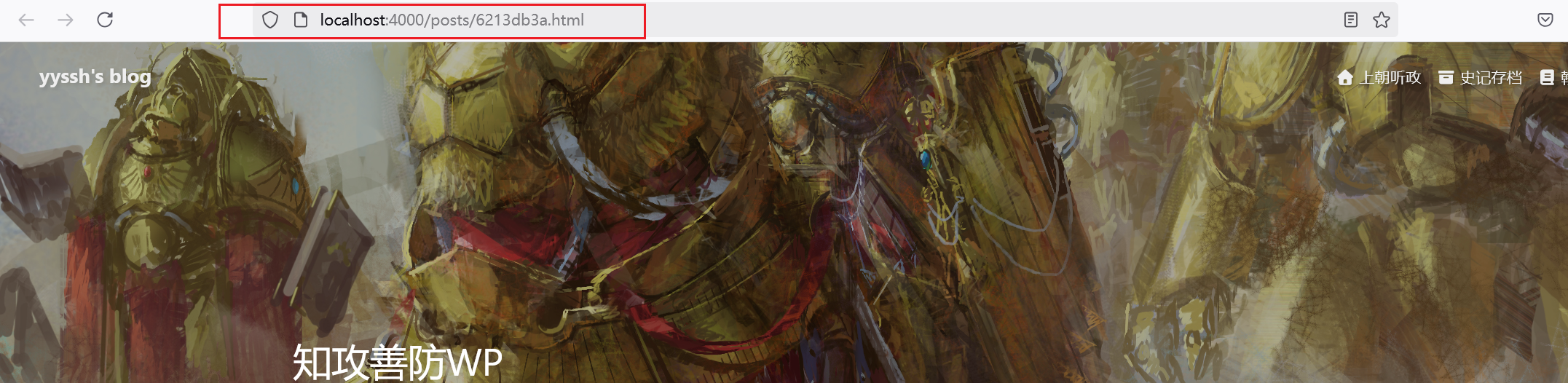
  1. 首先实现永久化网址,因为hexo默认的网址路由太长了,不利于搜索爬虫的搜录

  2. 安装abbrlink插件:

1
npm install hexo-abbrlink --save
  1. hexo的config.yaml文件修改
1
2
3
4
5
6
7
8
9
10
11
12
13
# URL
## Set your site url here. For example, if you use GitHub Page, set url as 'https://username.github.io/project'
url: http://example.com
permalink: posts/:abbrlink.html
permalink_defaults:
pretty_urls:
trailing_index: true # Set to false to remove trailing 'index.html' from permalinks
trailing_html: true # Set to false to remove trailing '.html' from permalinks

# abbrlink config
abbrlink:
alg: crc32 # support crc16(default) and crc32
rep: hex # support dec(default) and hex
  1. 效果预览image-20260119004603162

  2. 由于我之前的图片都是放在同级同名目录下的,所以这个图片目录也要修改

  3. 安装插件

1
npm install --save hexo-submit-urls-to-search-engine
  1. 修改hexo的配置文件,末尾添加下面代码即可
1
2
3
4
5
6
7
8
9
10
11
12
13
14
15
16
17
18
19
20
21
22
23
24
25
26
27
28
29
30
hexo_submit_urls_to_search_engine:
# 提交策略配置
submit_condition: count
count: 20 # 每次提交最新20条链接
period: 600 # 10分钟内的更新

# 平台开关(推荐配置) 0为关闭,1为开启
google: 1 # 启用Google提交
bing: 1 # 启用Bing提交
baidu: 1 # 默认关闭百度提交

# 路径配置
txt_path: ./auto_submit_urls.txt ## 文本文档名, 需要推送的链接会保存在此文本文档里
replace: 1 # 启用URL替换
find_what: http://
replace_with: https:// # 强制HTTPS

# 百度配置(需要时开启)
baidu_host: https://yourdomain.com
baidu_token: ${BAIDU_TOKEN} # 推荐使用环境变量

# 必应配置(推荐启用IndexNow)
bing_host: https://yourdomain.com
bing_token: ${BING_TOKEN}
bing_enable_indexnow: true # 是否用 indexNow 提交链接给必应: true (Yes) | false (No). 只有 2.1.1 及之后的版本才可以开启这个功能。

# Google配置(需服务账号密钥)
google_host: https://yourdomain.com
google_key_file: ./google-service-account.json 存放google key的json文件,放于网站根目录(与hexo _config.yml文件位置相同),请不要把json文件内容直接发布在公众仓库里!
google_proxy: 0 # 向谷歌提交网址所使用的系统 http 代理,代理配置示例:http://127.0.0.1:8080 ,填 0 不使用
  1. 修改hexo的deploy配置项
1
2
3
4
5
6
deploy:
- type: git
repo: https://github.com/0xYyssh/0xYyssh.github.io.git
branch: master
message: "Site updated: {{ now('YYYY-MM-DD HH:mm:ss') }}"
- type: cjh_bing_url_submitter

TODO CDN加速

参考文章:

Butterfly CDN链接更改指南,替换jsdelivr提升访问速度 | 张洪Heo

Butterfly美化总结 | June’s Blog

总结来说就是将butterfly的外网cdn换成国内的cdn,从而提高访问速度

添加分类条

参考文章:

魔改笔记七:分类条及外链卡片 | LiuShen’s Blog

覆盖这些配置文件前,记得先备份,没有文件就创建

因为我的轮播图的样式和首页样式都自己修改过,可能跟参考文章有些许出入,当然你能用哪个就用哪个

  1. [hexoroot]themes\butterfly\layout\includes\categoryBar.pug

    1
    2
    3
    4
    5
    6
    7
    8
    9
    .category-bar-items#category-bar-items(class=is_home() ? 'home' : '')
    .category-bar-item(class=is_home() ? 'select' : '', id="category-bar-home")
    a(href=url_for('/'))= __('博客首页')
    each item in site.categories.find({ parent: { $exists: false } }).data
    .category-bar-item(class=select ? (select === item.name ? 'select' : '') : '', id=item.name)
    a(href=url_for(item.path))= item.name
    div.category-bar-right
    a.category-bar-more(href=url_for('/categories/'))= __('更多分类')

  2. [hexoroot]\themes\butterfly\source\css_layout\category-bar.styl

    1
    2
    3
    4
    5
    6
    7
    8
    9
    10
    11
    12
    13
    14
    15
    16
    17
    18
    19
    20
    21
    22
    23
    24
    25
    26
    27
    28
    29
    30
    31
    32
    33
    34
    35
    36
    37
    38
    39
    40
    41
    42
    43
    44
    45
    46
    47
    48
    49
    50
    51
    52
    53
    54
    55
    56
    57
    58
    59
    60
    61
    62
    63
    64
    65
    66
    67
    #category-bar
    padding 7px 11px
    background var(--card-bg)
    border-radius 8px
    display flex
    white-space nowrap
    overflow hidden // ★ 防止自身溢出
    transition 0.3s
    height 50px
    width 100%
    max-width 100% // ★ 双保险
    box-sizing border-box // ★ padding 不再撑宽
    justify-content space-between
    user-select none
    align-items center
    margin-bottom 20px

    // 突出边框
    border 1px solid var(--card-border)
    box-shadow 0 2px 6px rgba(0, 0, 0, .06)

    .category-bar-right
    flex-shrink 0 // ★ 固定“更多分类”宽度
    display flex
    border-radius 8px
    align-items center

    .category-bar-more
    margin-left 4px
    margin-right 4px
    font-weight 700
    border-radius 8px
    padding 0 8px

    .category-bar-items
    flex 1 1 auto // ★ 允许伸缩
    min-width 0 // ★★ 核心修复点
    white-space nowrap
    overflow-x auto
    overflow-y hidden
    scrollbar-width none
    -ms-overflow-style none
    display flex
    border-radius 8px
    align-items center
    height 30px

    &::-webkit-scrollbar
    display none

    .category-bar-item
    flex-shrink 0 // ★ 单个分类不被压扁

    a
    padding .1rem .5rem
    margin-right 6px
    font-weight 700
    border-radius 8px
    display flex
    align-items center
    height 30px

    &.select
    a
    background #3eb8be
    color var(--btn-color)

  3. 将修改添加至首页[hexoroot]\themes\butterfly\layout\includes\mixins\indexPostUI.pug,部分修改为如下,category-bar是我们主要添加的部分

    1
    2
    3
    4
    5
    6
    7
    8
    9
    10
    11
    12
    13
    14
    15
    16
    17
    18
    19
    20
    21
    22
    mixin indexPostUI()
    - const indexLayout = theme.index_layout
    - const masonryLayoutClass = (indexLayout === 6 || indexLayout === 7) ? 'masonry' : ''
    #recent-posts.recent-posts.nc(class=masonryLayoutClass)
    #category-bar
    include ../categoryBar.pug
    .recent-post-items
    each article, index in page.posts.data
    .recent-post-item
    - const link = article.link || article.path
    - const title = article.title || _p('no_title')
    - const leftOrRight = indexLayout === 3 ? (index % 2 === 0 ? 'left' : 'right') : (indexLayout === 2 ? 'right' : '')
    - const post_cover = article.cover
    - const no_cover = article.cover === false || !theme.cover.index_enable ? 'no-cover' : ''

    if post_cover && theme.cover.index_enable
    .post_cover(class=leftOrRight)
    a(href=url_for(link) title=title)
    if article.cover_type === 'img'
    img.post-bg(src=url_for(post_cover) onerror=`this.onerror=null;this.src='${url_for(theme.error_img.post_page)}'` alt=title)
    else
    div.post-bg(style=`background: ${post_cover}`)
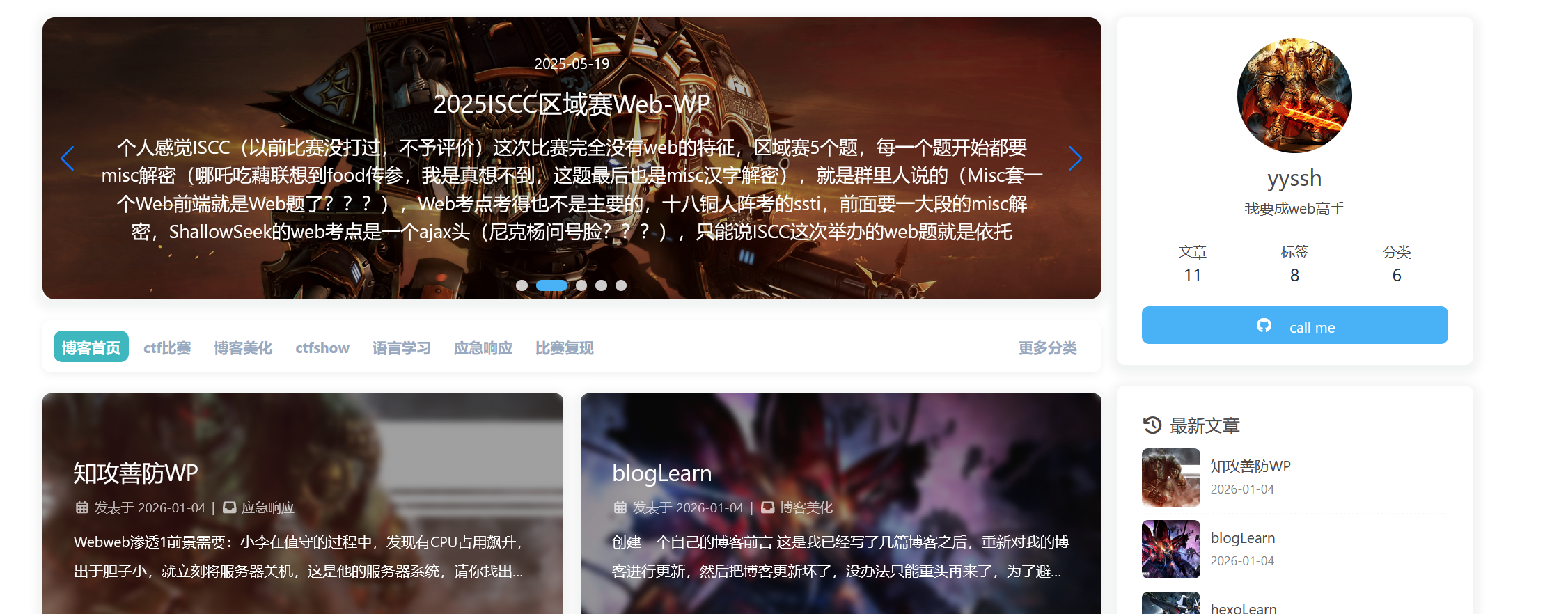
  4. 这样就已经做好了轮播图和文章之间添加分类条

  5. 后面看个人的喜好,我个人是偏向于分类界面和index保持一致

    1. 修改butterfly.config.yaml,大概在791行左右

      1
      2
      category_ui: index # 将分类子界面与index保持一致
      tag_ui:
    2. 添加分类界面的js逻辑,实现分类条当前选择条目高亮

      [hexoroot]\themes\butterfly\source\js\main.js,主要添加一个js逻辑

      大约在791行添加js逻辑函数

      1
      2
      3
      4
      5
      6
      7
      8
      9
      10
      11
      12
      13
      14
      15
      16
      17
      18
      19
      20
      /**
      * 分类条当前选择条目高亮
      */
      const setCategoryBarActive = () => {
      const categoryBar = document.querySelector("#category-bar");
      const currentPath = decodeURIComponent(window.location.pathname);
      const isHomePage = currentPath === GLOBAL_CONFIG.root;

      if (categoryBar) {
      const categoryItems = categoryBar.querySelectorAll(".category-bar-item");
      categoryItems.forEach(item => item.classList.remove("select"));

      const activeItemId = isHomePage ? "category-bar-home" : currentPath.split("/").slice(-2, -1)[0];
      const activeItem = document.getElementById(activeItemId);

      if (activeItem) {
      activeItem.classList.add("select");
      }
      }
      };
    3. 大约在968行,选择调用添加的js逻辑函数

      1
      2
      3
      4
      5
      6
      7
      8
      9
      10
      11
      12
      13
      14
      const refreshFn = () => {
      initAdjust()
      justifiedIndexPostUI()

      if (GLOBAL_CONFIG_SITE.pageType === 'post') {
      addPostOutdateNotice()
      GLOBAL_CONFIG.relativeDate.post && relativeDate(document.querySelectorAll('#post-meta time'))
      } else {
      GLOBAL_CONFIG.relativeDate.homepage && relativeDate(document.querySelectorAll('#recent-posts time'))
      GLOBAL_CONFIG.runtime && addRuntime()
      addLastPushDate()
      toggleCardCategory()
      setCategoryBarActive() //分类条当前选择条目高亮
      }
  6. 效果预览

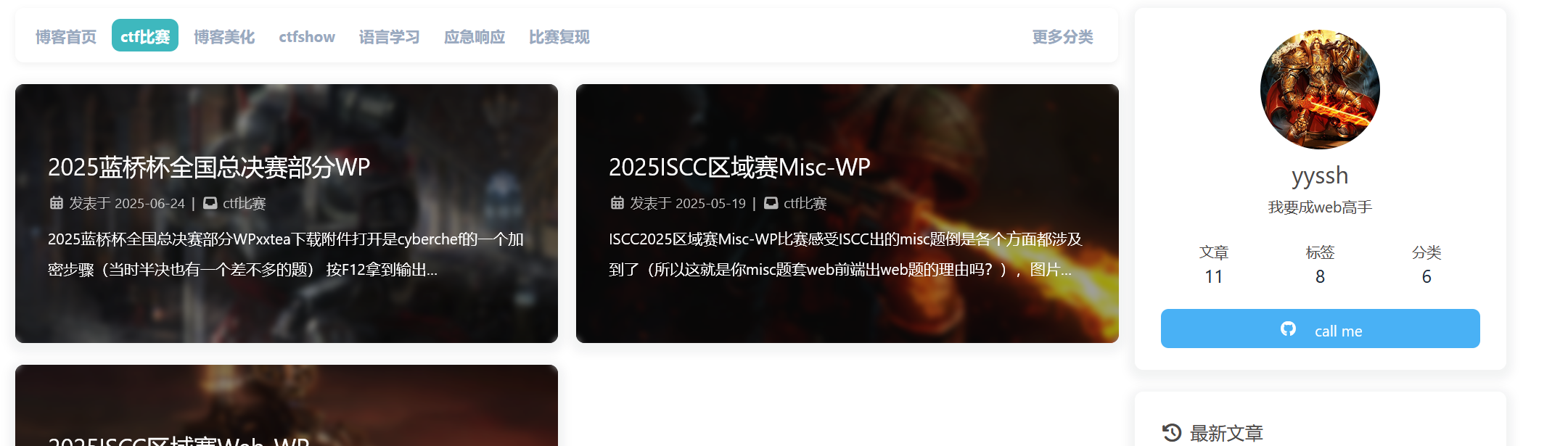
    image-20260118120343113

    image-20260118120401992